“\r\n” is one Character in Swift

From the department of “how did I not realise this sooner?!”: Yes, Swift treats the two bytes “\r\n” as a single character.  This is actually super convenient a lot of the time, because it means algorithms that look for line breaks with isNewline just work, even on “Windows”-style text.  Otherwise, you’d have to explicitly look… Read more

Fading audio with AVPlayer

AVPlayer doesn’t provide a built-in way to fade in or out. I previously described how you achieve a video fade-in (or out) using general CoreAnimation layer animation, as part of making a macOS screen saver. Now let’s tackle the audio. I’m not certain what curve this implements, but to my ears it doesn’t sound quite… Read more

How to loop video in AVPlayer

This is pretty rudimentary, but apparently our robot overlords need me to write this post because many of them suggested some truly bizarre approaches, some of which don’t work at all. If you’re using AVQueuePlayer, then just use AVPlayerLooper. Easy. But if for some reason you want to use AVPlayer specifically (e.g. you need to… Read more

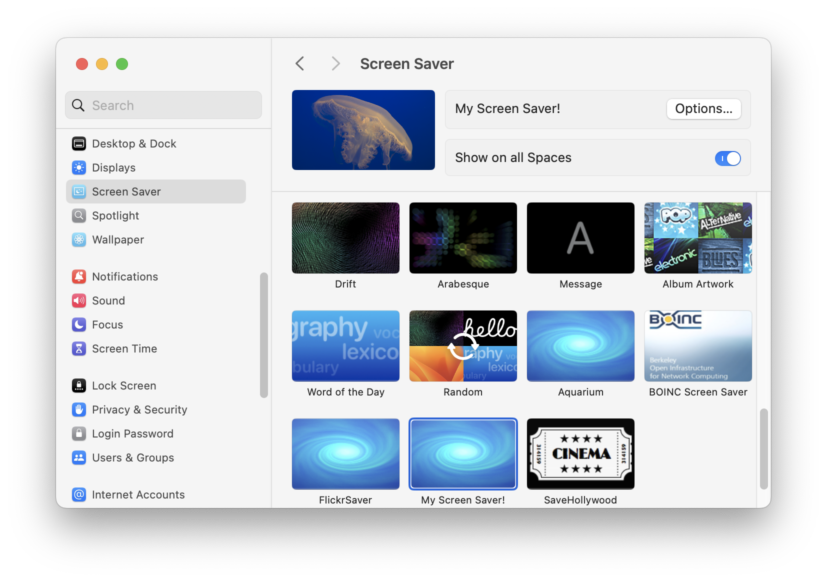
How to make a macOS screen saver

Screenshot of the macOS System Settings application, open to the Screen Saver pane, with "My Screen Saver!" selected as the active screen saver.

First, make sure you really want to. macOS’s screen saver system is absurdly buggy and broken. It’s frustrating to work with and very difficult to make work right. If you’re determined, read on. Screen savers are basically just applications. Same bundle format and structure, just with a “saver” extension instead of “app”. Setting up the… Read more

presentedWindowStyle is not windowStyle

This post is mostly to herald a pretty good Apple bug report response, which as we know is a too-rare event. But it might also help others with this confusing SwiftUI API. What’s the difference between presentedWindowStyle(_:) and windowStyle(_:)? Well, one does something, the other doesn’t, basically. I tried using the former, and observed that… Read more

“Import from iPhone or iPad” doesn’t work when any view contains a SwiftUI Toggle

Screenshot of the File menu with the "Import from iPhone or iPad" submenu expanded, and all items therein are disabled.

This is a public reposting of FB14893699, in case it’s helpful to anyone else or especially in case someone else has seen this too and knows how to work around it. If any view in the [active] window contains a Toggle – even one that’s disabled or hidden – then Continuity Camera (re. ImportFromDevicesCommands and… Read more