How to make a macOS screen saver

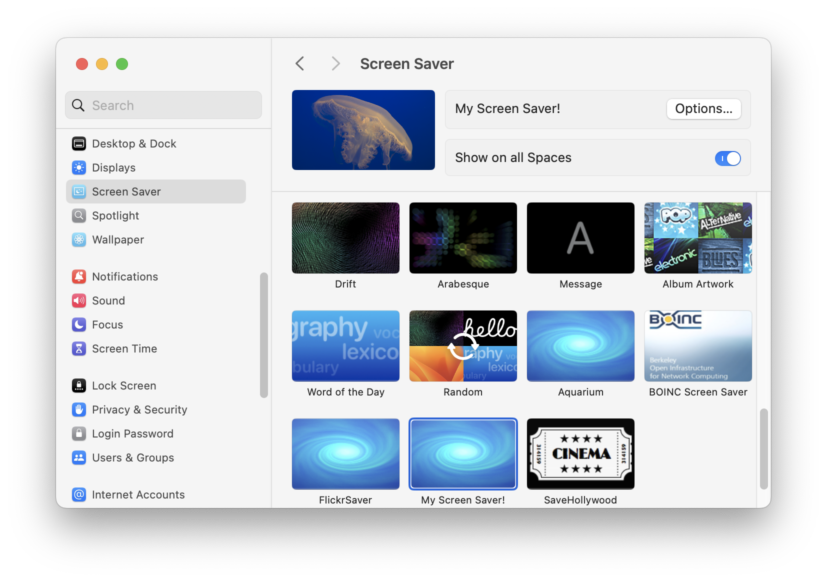
Screenshot of the macOS System Settings application, open to the Screen Saver pane, with "My Screen Saver!" selected as the active screen saver.

First, make sure you really want to. macOS’s screen saver system is absurdly buggy and broken. It’s frustrating to work with and very difficult to make work right. If you’re determined, read on. Screen savers are basically just applications. Same bundle format and structure, just with a “saver” extension instead of “app”. Setting up the… Read more

Calling Swift Concurrency async code synchronously in Swift

Sometimes you just need to shove a round peg into a square hole. Sometimes that genuinely is the best option (or perhaps more accurately: the least bad option). I find my hand is often forced by APIs I don’t control (most often Apple’s APIs). e.g. data source or delegate callbacks that are synchronous and require… Read more

Bipolar customer support

Consider these two examples involving Flickr, that occurred within just one day of each other. Nice gal Amanda I submitted the following feedback, not really expecting much of it. In fact, I fully expected some useless, boilerplate response that completely ignored the point and directed me to the upload requirements page (despite it being the… Read more

Matching prefixes in Swift strings

How do you determine if one string starts with another, in Swift? Surely that’s exactly what the hasPrefix(_:) method is for: No can haz etiquette? Wot? The problem is that hasPrefix is not meant for general use with human text; it’s barely better than a byte-wise comparison. It only guarantees that it won’t be fooled… Read more

SwiftUI drag & drop does not support file promises

SwiftUI doesn’t offer anything equivalent to NSFilePromiseProvider, i.e. to write data to the drop destination. You have to ditch SwiftUI and use AppKit’s drag & drop APIs instead. FB13583826. Is that it? I know that’s not a very helpful in some sense, but I wasted days trying to figure out how to implement this very… Read more

Mac app sandboxing interferes with drag & drop

Failed to get a sandbox extension Right from there, you know you’re going to have a bad day. 😔 Then you try to actually use the file dropped on your app, and you get: Upload preparation for claim 1C0F9013-4DEB-4E5D-8896-F522AA979BA6 completed with error: Error Domain=NSCocoaErrorDomain Code=513 ““Example.jpg” couldn’t be copied because you don’t have permission to… Read more