I’m not using macOS 26 Tahoe yet – hopefully I’ll never have to; 🤞 the next version of macOS is less of a dumpster fire, and I’ll just skip Tahoe entirely.
But, looking over other people’s shoulders, and listening to the groans and cries, I’m struck by something. We’ve been here before. Icon jail, I mean (“Squircle” jail specifically in Tahoe’s case):
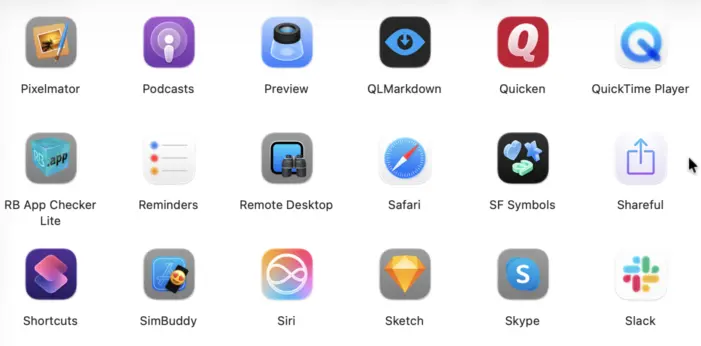
This isn’t the first time Apple’s put icons in grey jail. Mac OS 9 already did this:
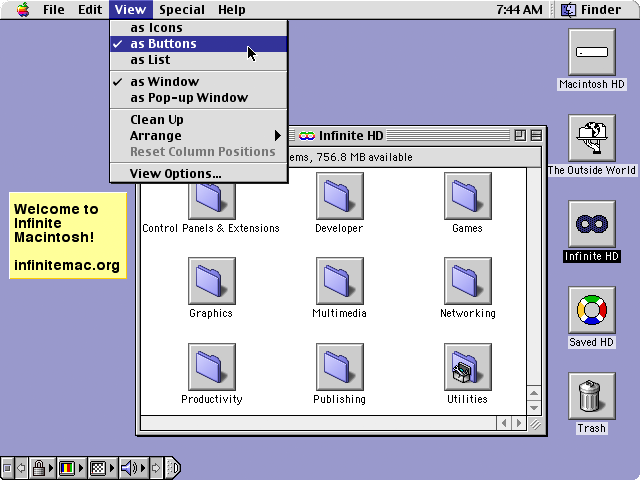
This mode made the icons activate with a single click rather than a double-click. It was a window-specific (and desktop-specific) setting. I vaguely recall it being sold as a simpler, more efficient way of using the Finder – fewer clicks! It did not catch on, though possibly there were some fans. I vaguely recall encountering Macs in the wild that had this mode enabled.
It wasn’t new in Mac OS 9 either, really – it was actually introduced with At Ease circa System 7.1:
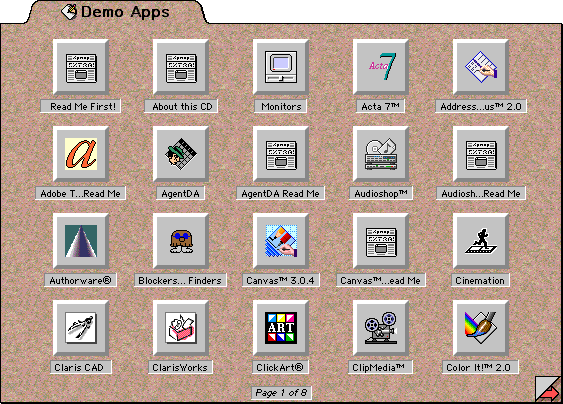
In a way, Apple is just returning to its roots; continuing to try to dumb-down the Mac.
Incidentally, Launchpad, introduced in MacOS X 10.7 Lion in 2011, was also very similar to At Ease’s app launcher (by way of iOS, of course). Ironically it’s removed in macOS 26 Tahoe (in favour of Spotlight, which would be fine if Spotlight ever worked reliably) although it is possible to resurrect it.
Of course, a big difference between all these prior incarnations and macOS 26 Tahoe’s is that previously the user controlled it, and could turn it off. You didn’t have to install At Ease at all. Mac OS 9 didn’t use the Buttons view mode by default, you had to enable it, and anyone could disable it again at any time.
That’s where today’s Apple actually differs from yesteryear’s – they used to respect the user, and now they don’t.