It’s very clear that Apple were going for peak brightness above all else. Nobody else has even tried to make a bright 6k display – in fact, every non-Apple 6k display is outright dim by modern display standards – they’re barely brighter than the original 5k display in the 2015 iMac!1
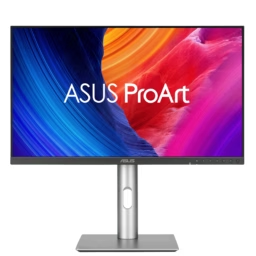
For the price of one Apple Pro Display XDR you can get five Asus ProArt 6k displays. And it’s worth noting that the 2nd-hand price for the XDR has risen dramatically since it was discontinued, with some ‘retailing’ on eBay for more than their original purchase price! So forget about the 2nd-hand market.
I suspect there’s only three 6k panel models in existence – the one used by Apple, the AUO one used by Asus2, Acer, & ALOGIC, and the LG one used by LG, Dell, & Kuycon.
It’s strange to me that Dell haven’t dropped the price of their 6k display given that LG are offering the same panel in a much svelter package for 33% less (and you can get the very similar Asus display for 56% less!).
| Pro Display XDR | LG UltraFine™evo 6K Nano IPS Black Monitor with Thunderbolt™ 5 (32U990A-S) | Dell UltraSharp 32 6K (U3224KB) | Asus ProArt Display 6K (PA32QCV) | Acer ProCreator3 31.5″ 6K (PE320QXT)4 | Kuycon G32P | ALOGIC Clarity 32″ 6K Multi-Touch (32C6KPDTF) | |
|---|---|---|---|---|---|---|---|
| Screen diagonal | 81 cm | 80 cm | 80 cm | 80 cm | 80 cm | 80 cm | 81 cm |
| Resolution | 6,016 ⨉ 3,384 | 6,144 ⨉ 3,456 | 6,144 ⨉ 3,456 | 6,016 ⨉ 3,384 | 6,016 ⨉ 3,384 | 6,144 ⨉ 3,456 | 6,016 ⨉ 3,384 |
| Pixel count | 20,358,144 | 21,233,664 | 21,233,664 | 20,358,144 | 20,358,144 | 21,233,664 | 20,358,144 |
| Backlight zones | 576 | 1 | 1 | 1 | 1 | 1 | 1 |
| Pixels per backlight zone | 35,344 | 21,233,664 | 21,233,664 | 20,358,144 | 20,358,144 | 21,233,664 | 20,358,144 |
| Pixel density | 218 | 224 | 224 | 218 | 218 | 224 | 216 |
| Contrast ratio | 1,000,000 : 1 | 2,000 : 1 5 | 2,000 : 1 6 | 1,500 : 1 7 | ? 8 | 2,000 : 1 9 | 2,000 : 1 |
| Peak sustained brightness | 1,600 (≤ 25℃) | 45010 | 450 | 35011 | 40012 | 500 | 40013 |
| Maximum “black” luminence | ? | ≤ 0.114 | ≤ 0.115 | ≤ 0.116 | ? | ? | ? |
| Bit depth | 10 | 10 | 10 | 817 | 818 | 10 | 819 |
| Rec 2020 coverage | ? | 82% | ? | 73% | ? | ? | ? |
| Display P3 coverage | 98.7% 20 | 98% 21 | 99% | 98% | 99% | 99% | 99%22 |
| Adobe RGB coverage | 96.7% | 99.5% | ? | 88% | 99% | ? | 99%23 |
| Rec 709 coverage | ? | ? | 100% | ? | ? | ? | ? |
| sRGB coverage | 94.3% | 100% | 100% | 100% | ? | 99% | 100% |
| Refresh rate | 47.95 – 60.00 Hz | 30 – 60 Hz | 60 Hz | 60 Hz | 60 Hz24 | 60 Hz | 60 Hz |
| Finish | Glossy or Matte (“Nano-texture”) | Matte | Matte | Matte | Glossy | Glossy | Glossy |
| USB Power Delivery | 96W | 96W | 140W | 96W | 90W | 100W | 90W25 |
| Connectivity | 1⨉ Thunderbolt 3 3⨉ USB-C (5 Gb/s26) | 2⨉ Thunderbolt 5 3⨉ USB-C (10 Gb/s, 1 up 2 down) 1⨉ DisplayPort 2.1 1⨉ HDMI 2.1 | 2⨉ Thunderbolt 4 5⨉ USB-C (10 Gb/s, 1 up 4 down) 1⨉ Mini DisplayPort 2.? 1⨉ HDMI 2.? 1⨉ 2.5 Gb Ethernet (RJ45) | 2⨉ Thunderbolt 4 3⨉ USB-C (5 Gb/s, 1 up 2 down) 1x USB-C signal switch (for KVM) 1⨉ HDMI 2.1 1⨉ 3.5mm stereo audio (out) | 1⨉ USB-C (up) ?x USB-?27 (down) 2⨉ HDMI 2.1 1⨉ DisplayPort 1.4 | 3⨉ USB-C (1 up 2 down) 1⨉ DisplayPort 2.1 2⨉ HDMI 2.1 1⨉ 3.5mm stereo audio (out) | 1⨉ USB-C 3 (up) 2⨉ USB-A 3 (down) 1⨉ DisplayPort 1.4 2⨉ HDMI 2.0 1⨉ 3.5mm stereo audio (out) |
| Built-in KVM | No | No28 | Yes | Yes | No | No | No |
| Dimensions (excluding stand) | 41.2 ⨉ 71.8 ⨉ 2.7 cm | 41 ⨉ 72 ⨉ 2.56 cm | 49cm ⨉ 71cm ⨉ 6.6 cm | 41.97 ⨉ 71.42 ⨉ 4.69 cm | ? 29 | 41.5 ⨉ 71.2 ⨉ 2.5 cm | 42.9 ⨉ 72.5 ⨉ 5.7 cm |
| Naive volume30 (excluding stand) | 7,987 cm³ | 7,559 cm³ | 23,069 cm³ | 14,058 cm³ | ? | 7,387 cm³ | 17,728 cm³ |
| Weight w/ stand | 11.8 kg | 9.48 kg | 13.29 kg | 9.3 kg | 10.05 kg | ? | ? |
| Weight w/o stand | 7.48 kg | 5.99 kg | 8.62 kg | 6.3 kg | ? | 7.5 kg | ? |
| Price31 w/o stand | $4,999 US | N/A | N/A | N/A | N/A | $1,799 US | N/A |
| Price32 w/ stand | $5,999 US | $1,599 US | $2,399 US | $1,049 US | ~$1,500 US 33 | $1,898 US | $2,250 US |
| Introduced | December 2019 | October 2025 | May 2023 | August 2025 | May 2025 | July 2025? | October 2025 |
| Discontinued | March 2026 | – | – | – | – | – | – |
⚠️ I’d be careful with the Acer – there’s a lot of warning flags around it:
- While you can buy the Acer in the U.S., you can do so only from 3rd party retailers, and Acer’s U.S. website doesn’t seem to know the display exists. That bodes ill for warranty & repairs.
- Acer’s marketing materials for the display are full of errors, and often self-contradictory. They make misleading claims, like the largely fictitious 100,000,000 : 1 contrast ratio.
- The official tech specs are missing key information, like the true contrast ratio, and even basic information like the display’s dimensions.
While Acer has been around for a long time, with a long presence in the western world, their behaviour here feels more like that of a Chinese brand. I’d go with the Asus instead – if price is your main concern – or the LG (only slightly more expensive).
⚠️ Note on Kuycon: I added the G32P after Kevin Yank suggested it. It’s a Chinese brand, which I would normally ignore for numerous reasons, but they actually have a functioning, well-designed English website, with a real working order system. So you can actually buy one in the western world. But be careful, nonetheless – there are plenty of anecdotes online about their non-existent customer support. Also, I’m not sure it’s worth a mere $100, vs the LG, to take the risk – and lose Thunderbolt 5 & KVM functionality – unless you really want a display that shamelessly rips off the appearance of the Pro Display XDR (but without any of the actual benefits, like HDR support and higher contrast ratio).
Also, there is a G32X which is similar but inferior – it has a lower contrast ratio and only 8-bit depth.
- Apple don’t appear to have ever published a brightness spec for the original Retina iMac, but Tom’s Guide measured their review model at 382 lumens.
The comparison to the original Retina iMac is apt because it was the first of the retina [desktop] displays, of which these 6k displays are all members. It also had the exact same pixel density – 218 PPI – as the Apple and Asus displays – i.e. each individual pixel is the exact same size – so it’s a very fair point of comparison despite the overall differences in resolution. ↩︎ - Speculation is that the Asus uses an AUO panel (the same one that’s popular with Chinese display manufacturers, because it’s very cheap). I wouldn’t normally give this much weight, except it is interesting that both the Asus and the Chinese displays are frequently reported as making an annoying whining noise at certain brightness levels, and have identical panel specifications, and were released at similar times (notably, many years after the Pro Display XDR). ↩︎
- Sometimes listed as “ProDesigner”, not “ProCreator” – I suspect the former is a U.S. variant of the name, as seen at retailers like B&H. Perhaps someone told them that “ProCreator” might elicit snickers in some parts of the world (not that anyone told Procreate, apparently). ↩︎
- Be careful not to confuse this with the very similarly named PE320QKX, which is a 4k OLED version. Acer’s own marketing and website people confuse this (the product page erroneously claims that the PE320QXT has an OLED panel – it does not). ↩︎
- This is what LG states in the display’s specifications. Yet, LG also states that this display is DisplayHDR 600 certified, which means it’s required to have a static contrast ratio of at least 8,000 : 1. But, this requirement was added in v1.2 of the DisplayHDR standard, so perhaps LG are referring to the old, obsolete version of the standard. ↩︎
- As with the LG, Dell states a 2,000 : 1 contrast ratio even though DisplayHDR 600 conformance requires at least 8,000 : 1. ↩︎
- Asus states a 1,500 : 1 contrast ratio even though DisplayHDR 600 conformance requires at least 8,000 : 1. Though they also describe the 1,500 : 1 as “typical” while also listing 3,000 : 1 as the maximum (but it appears the latter is only with “Dynamic Dimming” on, which is where it adjusts the overall backlight brightness based on average image brightness, but it does it too slowly such that you clearly see the transitions as the image changes, so I recommend leaving it off – plus, I can barely see any difference with it on anyway). ↩︎
- Acer list 100,000,000 : 1 with the caveat of “ACM” (Adaptive Contrast Management), a technique to supposedly achieve ‘visually equivalent’ results to an intrinsically higher contrast ratio. I’m not personally an expert on this, but the internet seems full of scepticism and critique of this technique as a whole, and contrast ratio claims based on it. Unfortunately Acer don’t list the actual (“non-ACM”) contrast ratio. ↩︎
- In a single breath Kuycon’s product page says both 1,500 : 1 and 2,000 : 1. But the tech specs repeat the 2,000 : 1 number – and I suspect it’s using the LG panel which is listed as 2,000 : 1 in other displays – so I’m assuming the 1,500 : 1 is a typo. ↩︎
- LG says “typical” brightness is 450, with minimum being 360, without explaining the difference – e.g. whether that’s for a white patch vs full-screen white, or perhaps depending on ambient temperature. I’m choosing to be generous and assume it’s merely a temperature thing, and not likely to be a concern in a typical indoor environment, because 360 is ridiculously dim.
Note that they claim to have VESA DisplayHDR 600 certification, which requires at least 350 lumens sustained but also at least 600 for a very small (8% of screen area) bright patch. But also that Dell very likely use the exact same panel and they claim 450 lumens sustained. So I’m not sure what the 360 is about… I’m hoping it’s just an overly cautious product lawyer that’s recognising that thermal throttling can happen at unusually high ambient temperatures. 🤞
Also, PCWorld measured the SDR brightness at 480, which fits best with the 450 claim. ↩︎ - Sigh… brightness claims. These days they’re subject to so many caveats and conditions that they’re verging on meaningless.
A luminance rating is conspicuously absent from the Asus product page (other than the claim about DisplayHDR 600 certification, which merely sets a 250 nits minimum). Their tech specs say 400 nits, though.
PCWorld measured peak brightness at 714, and Tom’s Hardware measured it at ~650. Not the same as sustained brightness or full-screen brightness, though (neither of those reviewers described their methodology).
But, I’m not sure how they got those numbers – because I actually bought this display, and I’ve seen nothing that indicates to me that it’s getting much more than 500 (though I don’t have a luminance measurement device – I’m comparing it to other displays like the LG UltraFine 5K and Apple M2 MacBook Air – both rated at 500 nits).
But, the actual manual says 350. And I’m inclined to believe the manual, because it’s also the only place which actually admits that it’s not a 10-bit panel. ↩︎ - Their terminology is non-standard, but they say that 400 is “native” while 600 is “peak”, which I take to mean 400 is the sustained maximum brightness. ↩︎
- ALOGIC says “typical” brightness is 400, with minimum being 350, without explaining the difference – e.g. whether that’s for a white patch vs full-screen white, or perhaps depending on ambient temperature. I’m choosing to be generous and assume it’s merely a temperature thing, and not likely to be a concern in a typical indoor environment, because 350 is ridiculously dim. ↩︎
- LG don’t explicitly state this, but it’s a requirement of the DisplayHDR 600 conformance. ↩︎
- Dell don’t explicitly state this, but it’s a requirement of the DisplayHDR 600 conformance. ↩︎
- Asus don’t explicitly state this, but it’s a requirement of the DisplayHDR 600 conformance. ↩︎
- It offers pseudo-10-bit mode using FRC (temporal dithering), but is not a true 10-bit display. ↩︎
- It offers pseudo-10-bit mode using FRC (temporal dithering), but is not a true 10-bit display. ↩︎
- It offers pseudo-10-bit mode using FRC (temporal dithering), but is not a true 10-bit display. ↩︎
- Apple don’t state the actual coverage – just vaguely reference the various colour gamut standards – so these are the figures as actually tested by PCMag. ↩︎
- 96% in PCWorld’s testing. ↩︎
- ALOGIC’s flashier marketing material claims 100%, but the tech specs say 99% – and some older marketing material on Amazon says 97%. I’m sceptical of the 100% coverage claim – and of marketing people in general – and not sure what to make of the 97% number from 3rd parties, so I’m going with the actual tech specs. ↩︎
- ALOGIC’s flashier marketing material claims 100%, but the tech specs say 99%. I’m sceptical of the 100% coverage claim – and of marketing people in general – so I’m going with the actual tech specs. ↩︎
- Acer’s product page claims 240 Hz, but that seems to clearly be an error – it’s referring to other ProCreator models, in much smaller sizes and lower resolutions. ↩︎
- ALOGIC sometimes says 90W (e.g. in the dominant marketing material) but the tech specs say 95W. I’m erring on the side of caution here, by going with the lower number. Though in practice I don’t think this 5W difference is significant in any case. ↩︎
- Only when used with Macs which support DSC (Display Stream Compression), otherwise the USB-C ports are limited to USB 2.0 (400 Mb/s). ↩︎
- Acer’s marketing pages, product specs, and release announcements list conflicting and non-sensical things (e.g. “USB-B”), so while it seems clear it has some downstream USB ports, it’s not at all clear how many, what port type, or what speeds. ↩︎
- The tech specs claim it has a built-in KVM, but there’s no mention of that anywhere else in the marketing materials nor the user manual. It does have a USB hub, which you can manually switch between the Thunderbolt or USB upstream ports by diving into the on-screen display, but there’s no apparent support for (a) doing this automatically when the input source changes nor (b) switching input sources & USB routing via keypress. ↩︎
- Acer’s product page specifies the dimensions as “72.55 × 52.77~28.28 × 32.11 cm (28.56 × 20.77~11.13 × 12.64 in)”. I have no idea what that’s supposed to mean, but it’s clearly not correct no matter how you interpret it (the display is assuredly not a foot deep). ↩︎
- Meaning the simple product of the three maximal dimensions. Some of these displays have curved backs, so their actual volume will be substantially less. ↩︎
- Note that MRRP (Manufacturer Recommended Retail Price) may vary over time, not to mention sales or other store-specific price changes. At various times I’ve found most of these displays on sale for at least a few hundred dollars less than their list price. ↩︎
- Note that MRRP (Manufacturer Recommended Retail Price) may vary over time, not to mention sales or other store-specific price changes. At various times I’ve found most of these displays on sale for at least a few hundred dollars less than their list price. ↩︎
- Acer only lists this display model on their Singapore website, though it is available from some U.S. retailers (e.g. B&H). At time of writing (30th of April 2026) the price in Singapore ($1,799 SGD) translates to ~$1,400 US, but I have not been able to find any U.S. retailer offering it for less than $1,500. ↩︎

@everything there are a few others listed here, but seems like the same panels.
I bought the Asus 6K in August and love it. Great value if you care about getting the most pixels/$ with decent color and don't care about other stuff nearly as much. Biggest downside is a faint electrical coil whine that I can only hear if the room is very quiet, but that might be a bigger downside to some.
Remote Reply
Original Comment URL
Your Profile
Why do I need to enter my profile?
This site is part of the ⁂ open social web, a network of interconnected social platforms (like Mastodon, Pixelfed, Friendica, and others). Unlike centralized social media, your account lives on a platform of your choice, and you can interact with people across different platforms.
By entering your profile, we can send you to your account where you can complete this action.
Kuycon G32P?
Yeah, fair suggestion – I’ve added it to the table.
You can see all the panels ever made, and filter by size and those still in production, at https://panelook.com
I’ve used this in the past to find certain 480p IPS LCD panels, and then track down EDTVs with those in: https://blog.gingerbeardman.com/2021/05/06/pixel-perfect-retro-gaming-in-480p/